
Let visitors make you a Google preferred source.
Google just brought preferred sources to AI Search — and says they earn 2× the clicks. Grab Google’s official button (or style your own) and visitors pick you in a single tap, across AI Overviews, AI Mode, and Top Stories.
Enter your domain — we only use the domain, since subdirectories aren’t eligible.
Google’s official button. Two lines of code, auto-translated, and readers stay on your page. Needs JavaScript.
Google renders this button from the page it’s on, so the preview is inert here — on your site it adds your domain.
<!-- Google's official "Add to Preferred Sources" button -->
<script async src="https://news.google.com/swg/js/v1/publisher.js"></script>
<div google-add-preferred-source-btn data-theme="light"></div>
Put the <script> in your <head> (or leave it here) and the <div> where the button should appear. Google reads your domain from the page, so it only works on your own site.
[00]In the press
Google said it first.
Google announced preferred sources and wrote the publisher guide — and the search press hasn’t stopped covering the rollout since.
[01]How it works
Three steps. No code. No account.
Enter your domain, style the button, and paste it where your readers already are — done in about a minute.
Enter your domain
Type your URL. We build the official Google source-preferences link for you — using just the domain, since that’s all Google makes eligible.
Make it yours
Start with Google’s official button, or style your own — light or dark, size, language, even a floating one. The live preview is byte-for-byte what you’ll copy.
Paste it anywhere
Copy the code and drop it in — beside your share buttons is perfect. The deeplink styles also work in a post or newsletter.
[02]Official button
Google’s own button. Two lines. Done.
Google now ships an official “Add to Preferred Sources” button — auto-translated, Google-styled, and readers never leave your page. We feature it first; our styles are the no-JavaScript, brandable alternative.
Rendered live by Google’s script
Inert here — Google reads the domain from the page it’s embedded on, so on your site it adds your domain.
Why Google recommends it
- Two lines of HTMLOne <script>, one <div>. Nothing to build, host, or sign up for.
- Auto-translatedGoogle renders it in each reader’s own language — 50+ supported — or you pin one.
- Readers stay on your pageThe add flow opens in place and returns them to where they left off.
- Google-styled, light or darkGoogle’s design, kept current by Google. Pick the theme that matches your page.
<!-- Google's official "Add to Preferred Sources" button -->
<script async src="https://news.google.com/swg/js/v1/publisher.js"></script>
<div google-add-preferred-source-btn data-theme="light"></div>Can’t run JavaScript, or want your own branding? Our badge, custom, stacked, and floating buttons use Google’s deeplink instead — they work anywhere, from any CMS to a newsletter.

[04]Where you appear
Your stories, badged across Search and AI.
Once readers choose you, the “preferred” badge marks your stories in Top Stories — and now in AI Mode and AI Overviews, where more answers begin.
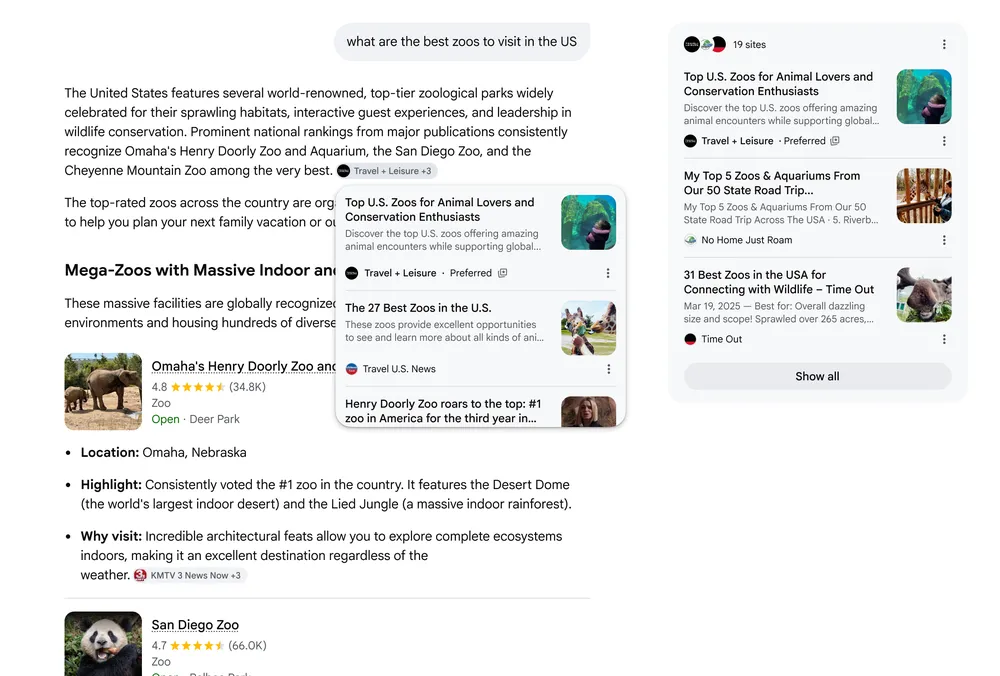
Preferred sources now work in every language Google Search supports — across Top Stories, and in AI Mode and AI Overviews wherever they’re available.
[05]SEO & AI SEO
One button. Both kinds of SEO.
A single preferred-source pick lifts you in classic Google Search and in the AI answers readers increasingly start with — two surfaces, one tap.
Rank in Top Stories (SEO)
Add you as a preferred source, and Google surfaces more of your fresh articles in Top Stories, each badged “preferred.” Readers click preferred sources about twice as often — more organic traffic, no new content required.

Show up in AI answers (AI SEO)
In AI Mode and AI Overviews, your stories carry the “preferred” badge for the readers who chose you — putting your brand inside the answer, exactly where attention is moving.

[06]How you get picked
Three ways in. One is a single tap.
Two are manual — in Top Stories or Search settings. The third is your button: one tap, your site already loaded, no menus to dig through.
Fastest
One tap with your button
Google's official button lets readers add you right on your page; our deeplink buttons open Google's source-preferences tool with your site already loaded. One tap — done. No searching, no menus.
In Top Stories
From a news search
On any recent news search, a reader taps the star on the Top Stories header, checks your site, and reloads — then starts seeing you more often.
In Search settings
From source preferences
From their Google profile, readers open Search personalization → Source preferences and add you. That one choice also tailors AI Mode and AI Overviews.
[07]Who it's for
Built for anyone with a loyal audience.
If readers already love your work, give them a one-tap way to tell Google — and its AI answers — to show them more of it.
News publishers
Win the “preferred” badge in Top Stories and bring loyal readers back to your reporting, day after day.
Independent blogs
Let your most engaged readers tell Google — in one tap — to show them more of you.
Niche & industry sites
Become the default source in your category for the people who already trust you.
Creators & newsletters
Turn your audience into a durable distribution advantage across Search and AI.
Local news
Stay top-of-mind in your community’s Top Stories and AI answers.
Magazines & reviews
Make your editorial voice the one readers actively choose to see more of.
[08]FAQ
Questions, answered.
Preferred sources, eligibility, languages, and how this free tool works.
What are preferred sources?+
Preferred sources is a Google Search feature that lets readers choose the sites they want to see more of. Once someone picks you, your content is more likely to appear — with a “preferred” badge — across Top Stories, AI Mode, and AI Overviews. Google says readers are about twice as likely to click a source after choosing it.
How do my readers actually choose me?+
The fastest way is your button. Google’s official button adds you right on your page; our deeplink buttons open Google’s source-preferences tool with your site ready to add — either way, readers confirm in one tap. They can also do it by hand — in Top Stories, click the star on the Top Stories header, tick your site, and reload results; or from their Google profile, open Search personalization → Source preferences and add you.
Google’s official button or one of yours — which should I use?+
Start with Google’s official button: two lines of code, auto-translated, and readers stay on your page. It needs JavaScript. Our badge, custom, stacked, and floating buttons link to Google’s add-source page instead — no JavaScript, they work anywhere (any CMS, newsletter, or social post), and they can carry your favicon and wording.
Does choosing me in Top Stories also affect AI Mode?+
Yes. A reader’s source preferences apply across surfaces: selecting you in Top Stories also tailors their AI Mode and AI Overviews, and choosing you in Source preferences also tailors Top Stories. One pick covers every surface.
Do a reader’s preferences follow them across devices?+
When a reader is signed in to their Google Account as they save their settings, their source preferences stay consistent across the browsers they sign in to.
Does adding this button guarantee I’ll show up?+
No. The button simply makes it easy for your readers to choose you in Google’s source-preferences tool. Building that audience helps, but it isn’t required and doesn’t guarantee placement.
Is my site eligible?+
Only domain-level and subdomain-level sites are eligible — for example example.com or news.example.com. Subdirectories like example.com/blog are not. Enter your site in Google’s source-preferences tool to confirm it appears.
Why does the tool drop everything after my domain?+
Because Google matches preferred sources at the domain level. We automatically strip paths, query strings, and a leading “www.” so the generated link points at the eligible domain.
Which languages are supported?+
Google’s official button auto-detects each reader’s language, or you can pin one of 50+. For our own styles, you can set the text in any of the languages Google ships official badges for — including English, Turkish, German, French, Spanish, Portuguese, and more — and the text is fully editable.
Is this an official Google tool?+
No. MyPreferredSources is an independent, free tool. It configures Google’s official button snippet and builds links using Google’s publicly documented deeplink format. It isn’t affiliated with or endorsed by Google.
Does it cost anything?+
No — it’s completely free. No account, no sign-up, no limits.
[09]Pricing
Free. Seriously.
No account, no limits, no catch — MyPreferredSources is free for every website owner.
Your readers are one tap from picking you.
Readers have already chosen 345,000+ preferred sources. Spin up your free button in seconds and make it effortless for your audience to pick you, too.
Generate my button